
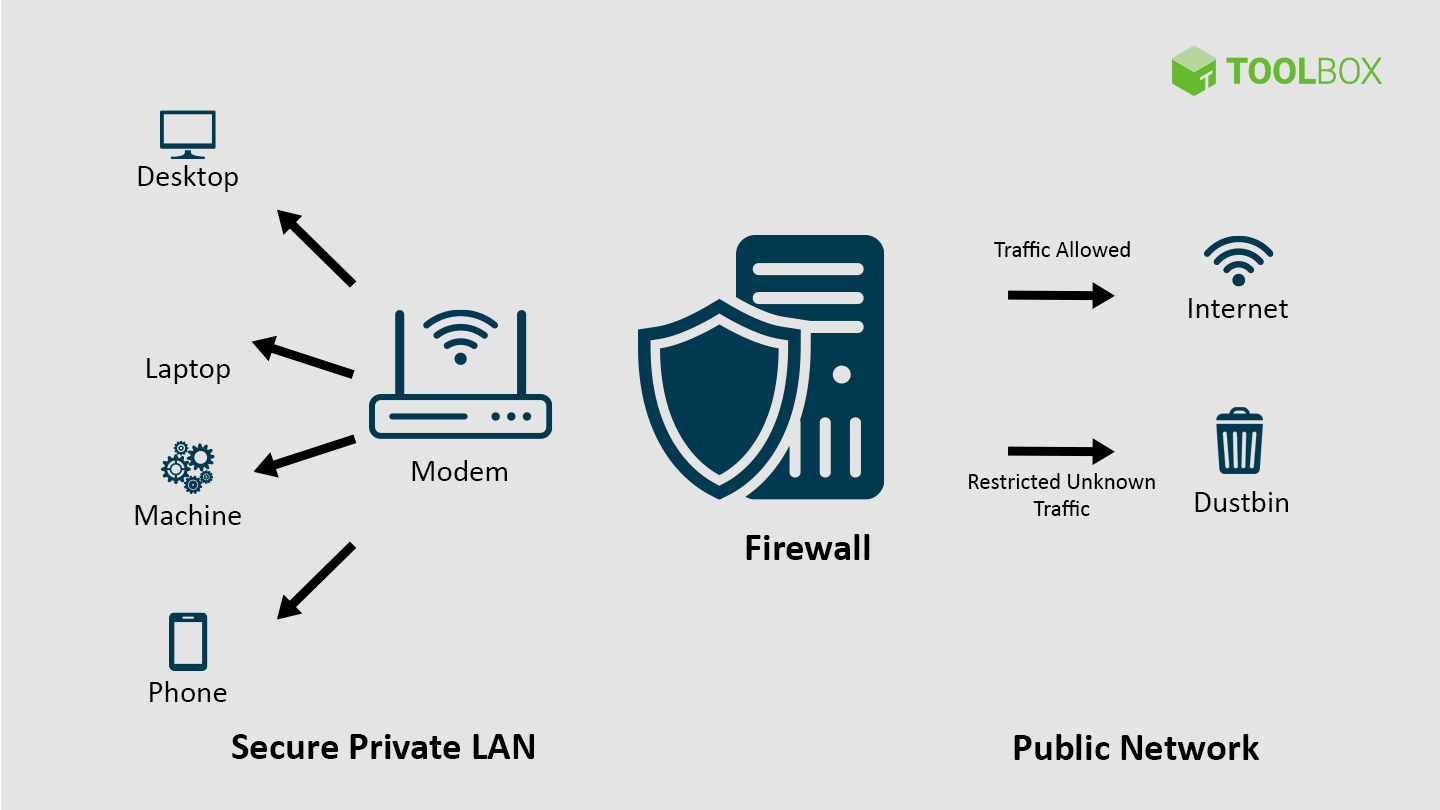
A firewall rule is like a door rule — it decides who can come in or go out.
Every rule says:
➡️ Allow (let traffic pass)
or
⛔ Deny/Block (stop traffic)
💡 Simple Example:
Imagine your computer is your house, and the internet is the outside world.
| Situation | Rule Type | What It Does |
|---|---|---|
| You want to visit Google | ✅ Allow rule | Lets you access Google’s IP or website |
| You want to block Facebook | ⛔ Deny rule | Stops your computer from visiting Facebook |
| You only allow WhatsApp to use port 443 | ✅ Allow Port 443 | Lets WhatsApp connect securely |
| You block all other ports | ⛔ Deny All Other Ports | Keeps unknown apps from connecting |
⚙️ How Rules Work (in order)
Firewalls check rules from top to bottom:
- If a rule matches, it applies.
- If no rule matches, the firewall blocks by default (for safety).
🧠 Real-Life Example (Easy Words)
Let’s say you set these rules:
- Allow Google.com
- Block Facebook.com
- Allow WhatsApp port 443
Then:
- ✅ You can browse Google
- ⛔ Facebook won’t open
- ✅ WhatsApp works fine
🧰 Bonus Tip:
- In home routers, you can often find these settings under:
🔧 Firewall → Rules or Security → Access Control. - In corporate firewalls (like MikroTik, Fortigate, etc.), you set these by IP, port, or protocol.
https://shorturl.fm/q08e0
https://shorturl.fm/C1los
https://shorturl.fm/Xfw61
https://shorturl.fm/SlFGH
As someone who’s played many Sprunki mods, Sprunki Phase 9 GGTP V2 finally nails the difficulty curve. The new mechanics add strategic depth without being overwhelming. GG to the devs!
Monetize your audience—become an affiliate partner now!
Share your link and rake in rewards—join our affiliate team!
Monetize your traffic with our affiliate program—sign up now!